Data Stack Tools Are Shipping Their Own Agent Context. I Tested Dagster's.
 Olivier Dupuis
—
—
5 min read min read
Olivier Dupuis
—
—
5 min read min read
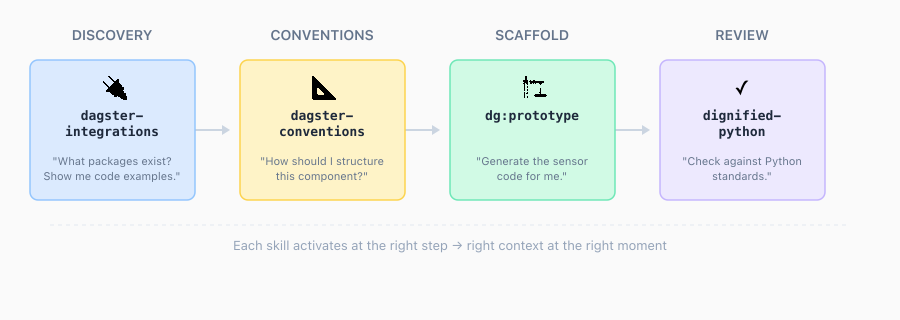
Tools in the data stack have always shipped docs, examples, and best practices. What’s changing is the packaging. Dagster, for one, now ships a Claude Code plugin with four distinct skills, each carrying domain-specific context that activates during your build session.
When you build with agentic tooling, the quality of what you produce depends on what the agent knows. Tools like Context7 already give your agent access to up-to-date documentation, and that’s genuinely useful. But tool-specific plugins can go further. They’re shaped around how you actually use the tool. Dagster ships an integration catalog skill because integrating Dagster with other technologies is the job. It ships a conventions skill because structuring sensors and resources is where people get stuck.
I tested all four skills by building something I actually needed: Slack notifications for pipeline failures. Here’s what happened.
Four Skills, Four Steps
The plugin organizes its knowledge into a workflow that mirrors how you’d naturally build a feature. Discovery first, then conventions, then scaffolding, then review.
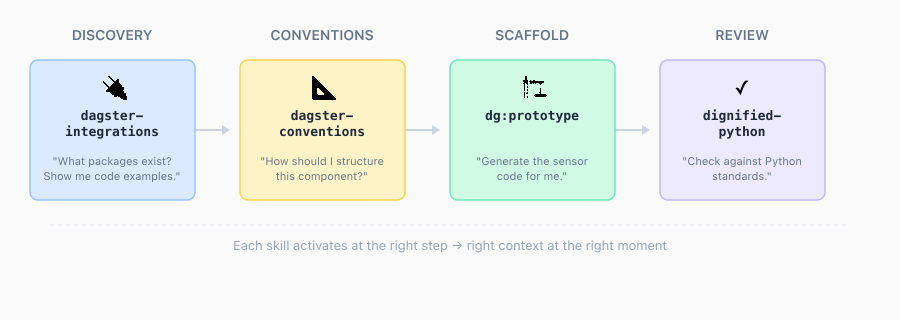
Each column is a separate skill with its own context:
- Discovery (
dagster-integrations): A catalog of 82+ integrations with code examples. You ask “what packages exist for X?” and it surfaces the right one with implementation patterns. - Conventions (
dagster-conventions): Best practices for sensors, resources, and component structure. The “how should I build this?” layer. - Scaffold (
dg:prototype): Generates implementation code based on what the previous skills surfaced. Not generic boilerplate, but code that reflects the patterns and packages already discussed. - Review (
dignified-python): Checks the generated code against Python standards. Catches style issues, flags structural problems.
This left-to-right flow became the structure of my entire build session. Each skill activated at the step where its context was most useful.
The Build: Slack Notifications from Zero
The goal was straightforward: when a pipeline fails in my Data Report project, send a Slack notification to #data-report-alerts with the job name, run ID, error details, and a direct link to the Dagster UI.
Step 1: Discovery
I asked about Slack integration options. The dagster-integrations skill surfaced dagster-slack as the right package and presented two approaches: make_slack_on_run_failure_sensor (a prebuilt factory) or run_failure_sensor (a custom decorator for more control).
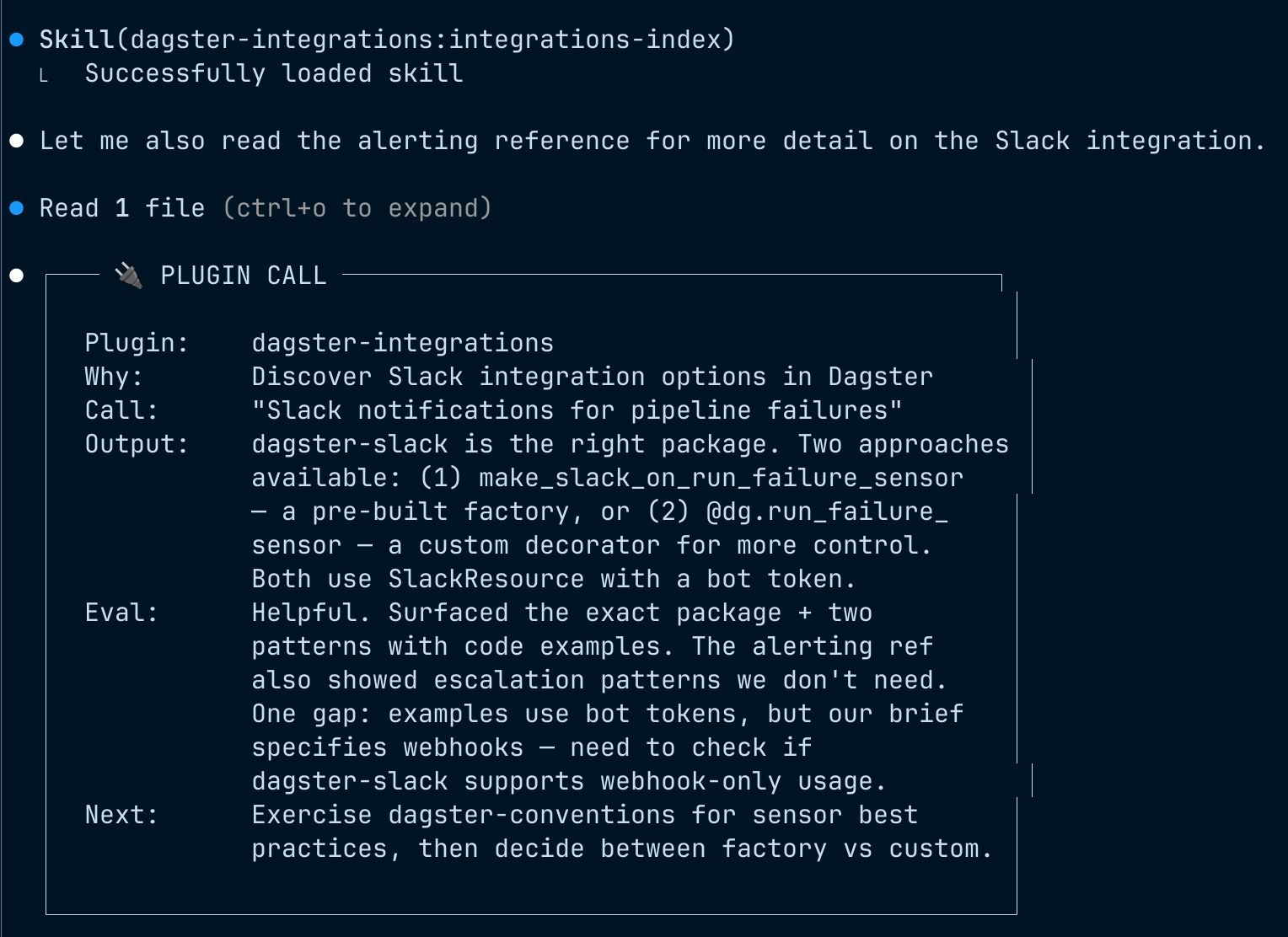
It also flagged a relevant detail: the session plan specified the use of webhooks, but the examples used bot tokens. A small thing, but the kind of mismatch that would have cost me time later. I went with the factory approach. Simpler, and I didn’t need custom control.
Step 2: Conventions
Next, dagster-conventions provided sensor patterns and resource configuration guidance. Sensors should use cursors for state tracking. Resources should use ConfigurableResource. Auto-discovery via Definitions.
Here’s where it got interesting. The conventions skill had solid general patterns for sensors and resources, but nothing specific to run-failure sensors. So Claude fell back to Context7 and the Dagster docs to fill the gap.
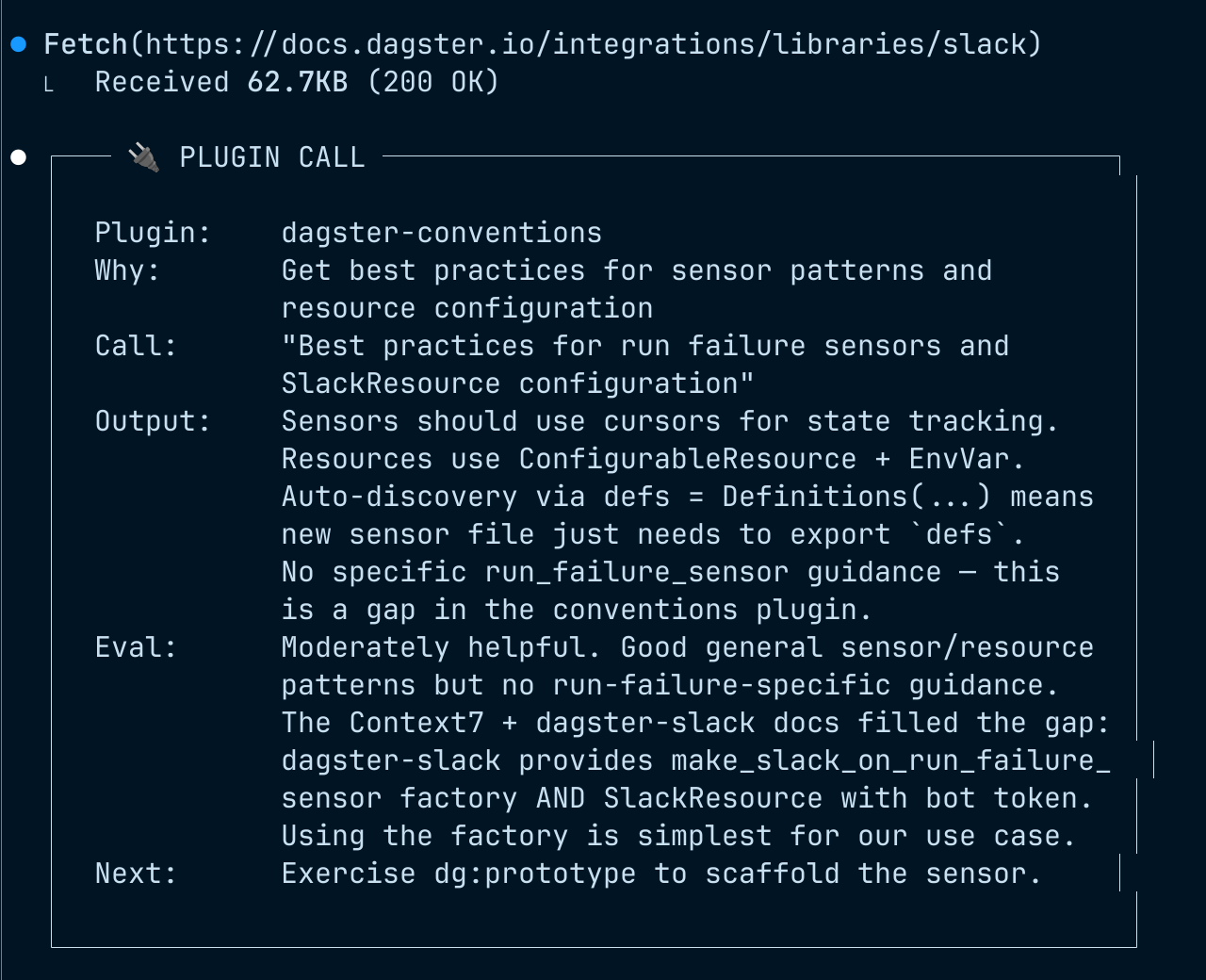
That’s a normal part of working with these tools. No plugin covers every edge case for every use case. The conventions skill gave me the structural patterns; the docs gave me the run-failure specifics. Between the two, I had what I needed.
Step 3: Scaffold
With the integration identified and the patterns clear, dg:prototype scaffolded the sensor implementation. It used the make_slack_on_run_failure_sensor factory approach that dagster-integrations had surfaced earlier, wired up the SlackResource, and configured it for my project.
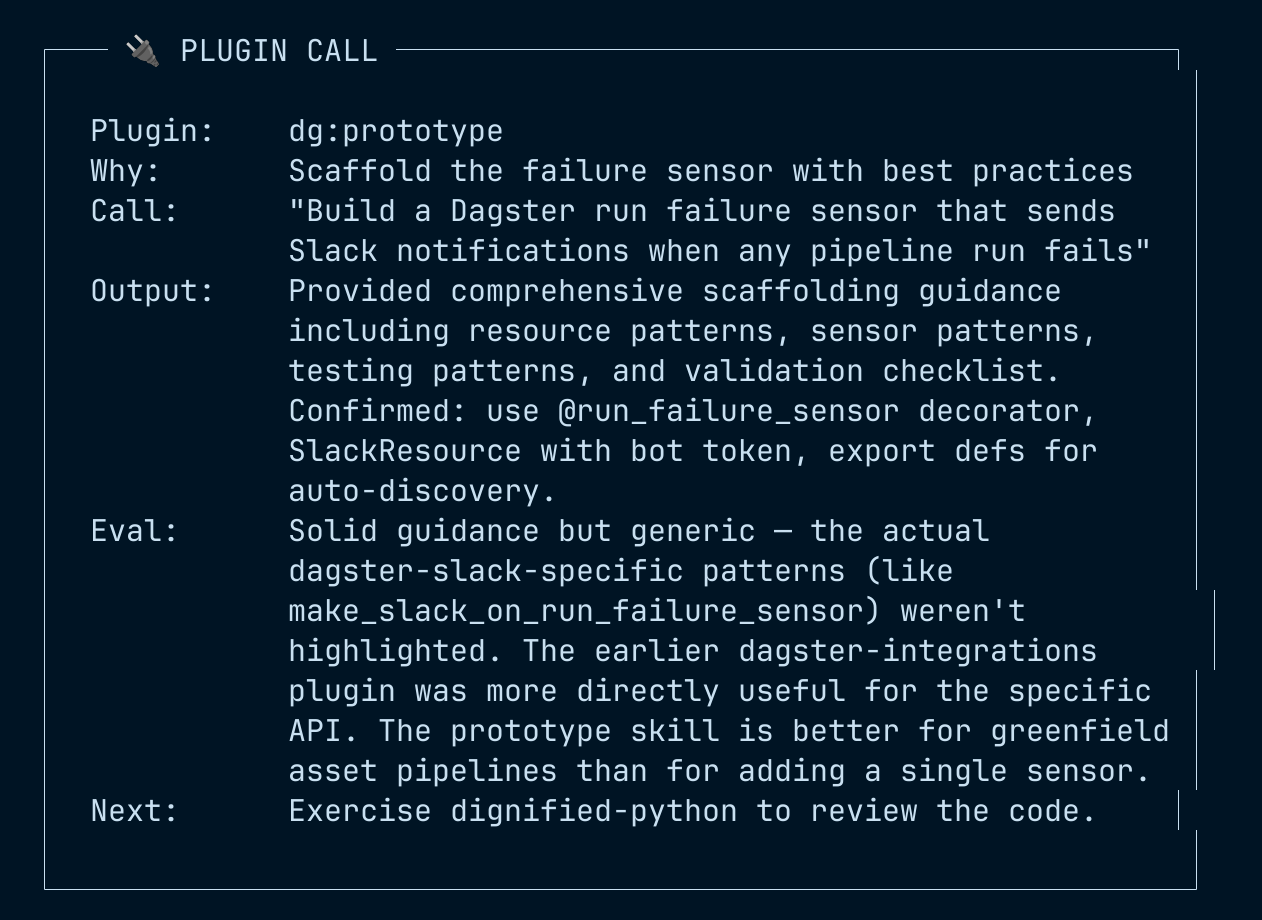
The context carried forward from step to step. The scaffold wasn’t generic Dagster code. It reflected the specific integration, approach, and conventions from the previous two skills.
Step 4: Review
Finally, dignified-python reviewed the generated code against Python standards. It caught minor style issues and flagged one module-level side effect worth refactoring.
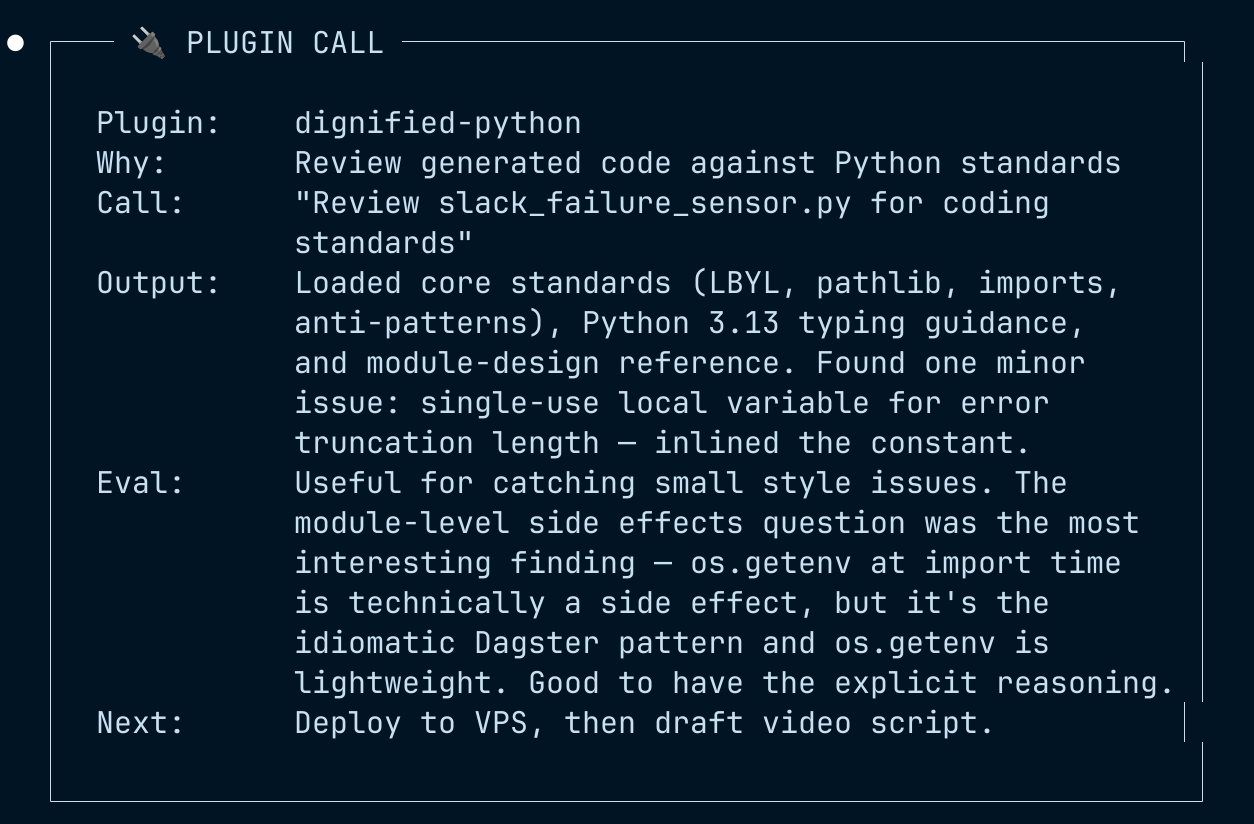
Nothing earth-shattering. But it’s the kind of pass that catches things before they become habits.
The Proof
I deployed the sensor, created a test_failure_asset that raises an intentional exception, and materialized it.
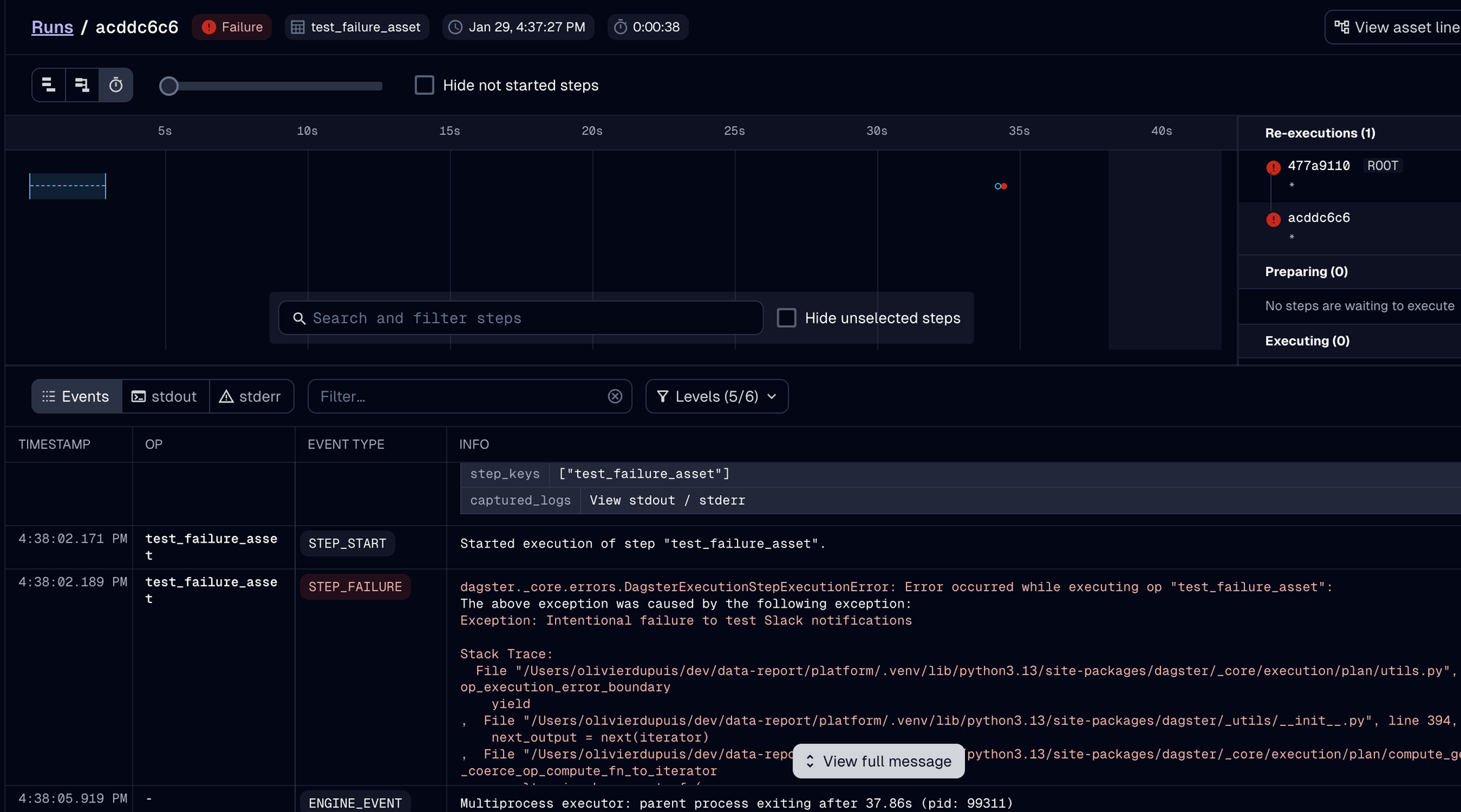
The sensor picked up the failure:
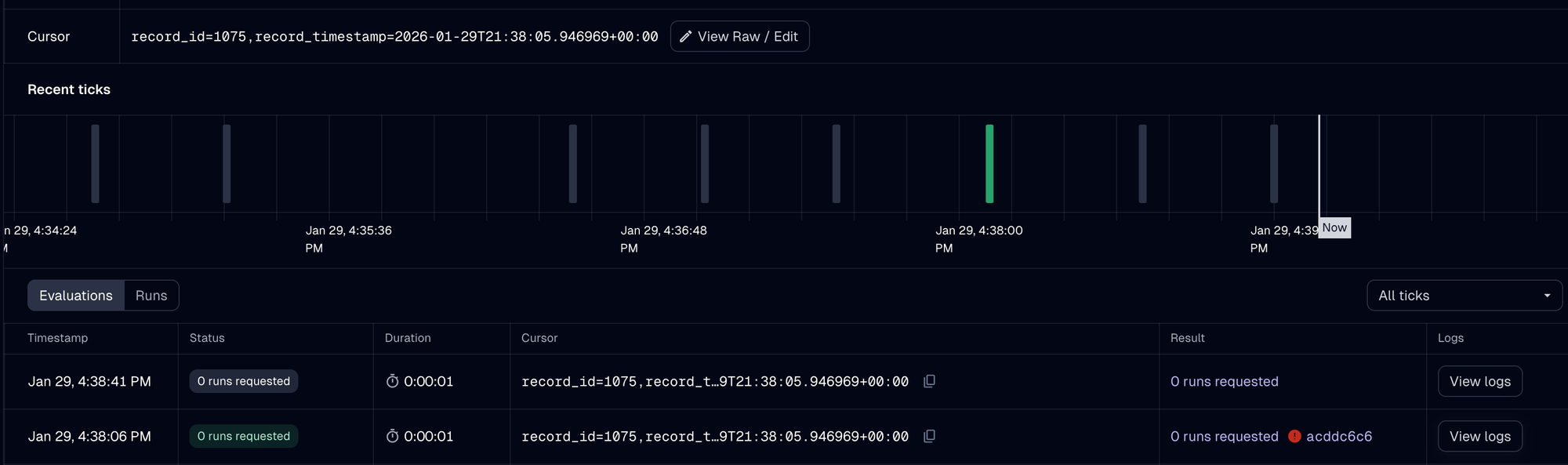
And Slack got the notification:
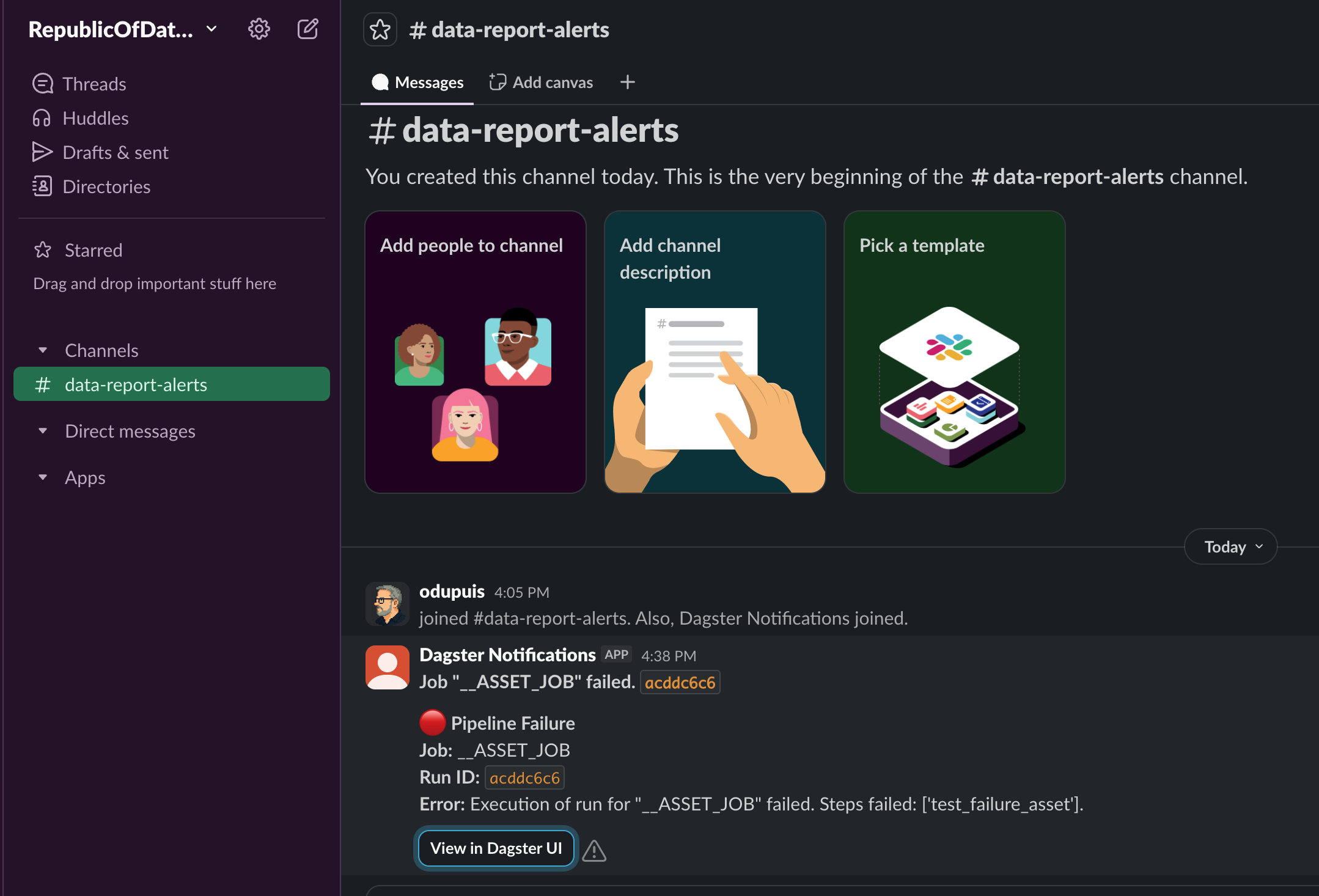
Job name, run ID, error message, and a direct “View in Dagster UI” link. Exactly what I wanted. Pipeline failures in my data platform no longer go unnoticed for hours.
You're Still in Control (and Now Better Equipped)
Some skills contributed more than others. dagster-integrations was the standout: it surfaced the exact package, two implementation approaches, and code examples. dagster-conventions had solid general patterns but lacked run-failure-specific guidance. That’s expected. You’re building something real, and no single knowledge source covers every edge.
But that’s not the point of this post.
The point is that the agent carried better context at the moments where it mattered. During discovery, it knew Dagster’s full integration catalog. During scaffolding, it carried forward the decisions from earlier steps. During review, it applied specific Python standards, not generic linting.
I still needed to understand what I was building. I chose the factory approach over the custom decorator. I went with the bot token the plugin suggested. I verified the sensor worked by triggering an intentional failure. The plugin didn’t make those decisions for me. It gave me better footing to make them faster.
And this is the direction. Your data stack tools will increasingly provide this kind of agent context. Start looking at what plugins or context packages exist for the tools you use. The agent is only as good as what it knows, and these plugins are how your tools teach it.