The 7 Layers of Market Intelligence in a Box
 Olivier Dupuis
—
—
6 min read min read
Olivier Dupuis
—
—
6 min read min read
A practical blueprint for anyone who wants answers instead of an overflowing inbox
The Problem
I’m overwhelmed by the amount of information that comes at me every day. Newsletters, RSS feeds, YouTube channels, social threads, LinkedIn posts, Slack discussions. All of it looks useful, but there’s no world where I can actually read everything. And when everything is important, nothing ends up being learned.
The issue isn’t that I need better reading habits. The issue is that reading is the wrong tool for the job. What I really need is a way to understand what’s moving in my market without manually scanning dozens of inputs. I want something I can ask questions to. Something that does the scanning upfront so I can focus on what matters.
That’s what pushed me to build a system that generates one morning intelligence report I can actually keep up with. It’s become part of my routine. It’s the first thing I open every day, and it finally gives me the feeling that I’m staying on top of things without drowning in inputs.
This post is the architecture behind that system.
What I Built
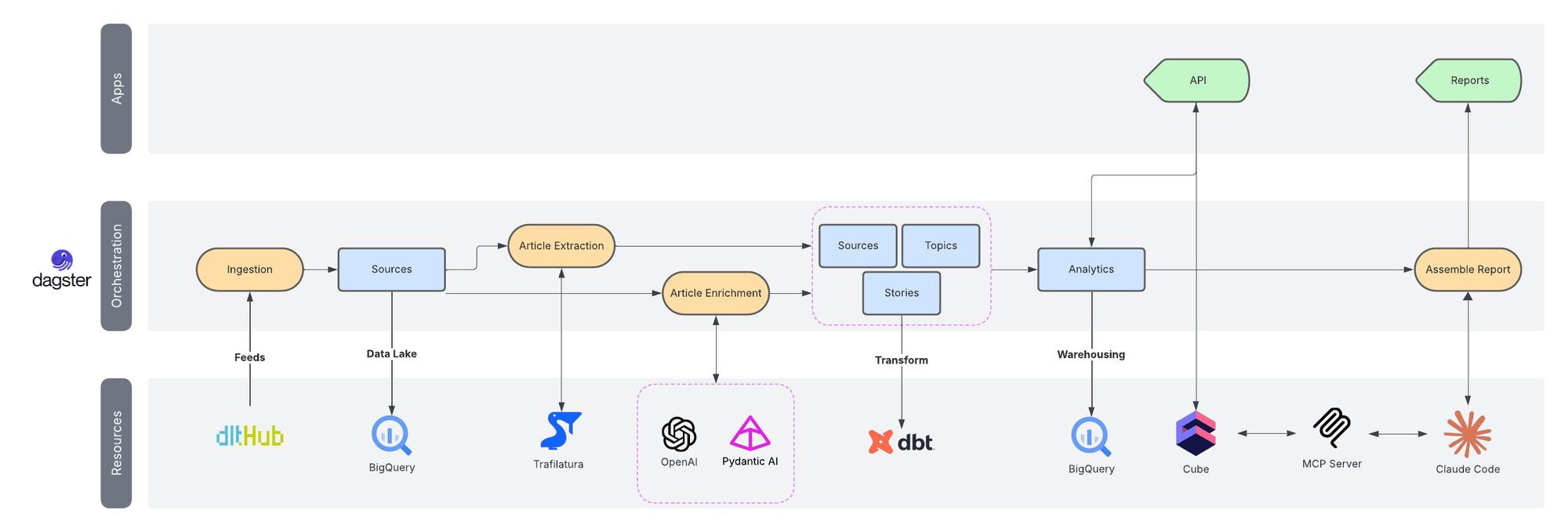
The platform looks simple from the outside, but it’s made of a clear set of layers that each solve their own problem. It combines ingestion pipelines, article extraction, LLM-based enrichment, a warehouse, a semantic layer, and a conversational interface that ties everything together.
It all runs on a small VPS that costs very little and has been reliable enough that I barely think about it. Each layer exists because it removes a specific source of friction.
Here are those layers.
Platform Walkthrough (Video)
A guided tour of the full system, showing how the layers connect and what the day-to-day workflow looks like.
System Diagram
A visual map showing the progression from ingestion to interface.
Layer 1. Sources - The Firehose Problem
Everyone has more sources than they can handle. Newsletters, YouTube channels, blogs, Reddit threads, research feeds. The problem isn’t access. The problem is sorting.
Most tools require you to go to them. That alone creates friction. Once the volume increases, you stop checking them and the whole thing collapses.
To fix this, the system continuously collects stories on its own. I use dlt for ingestion because it’s simple, open source, and doesn’t create heavy maintenance overhead. Dagster runs the pipelines. Adding a new source is just a YAML configuration change.
feeds:
  - name: hackernews
    url: https://news.ycombinator.com/rss
    table_name: hn_rss_raw
    description: "HackerNews RSS feed - trending tech stories"

  - name: reddit_dataengineering
    url: https://www.reddit.com/r/dataengineering/.rss
    table_name: reddit_de_rss_raw
    description: "Reddit r/dataengineering - data engineering discussions and best practices"
This is all I need to configure new RSS feed assets in Dagster using dlt for ingestion
The goal here isn’t complexity. It’s reliability and consistency.
Layer 2. Extraction - Metadata Isn’t Enough
RSS feeds only give titles and links. That’s not enough context for any meaningful analysis.
This layer pulls the full article text for every story. Storage is cheap and LLM processing is getting cheaper all the time, so there’s no downside to using complete content.
Trafilatura handles the extraction. It outputs clean article text without extra markup, which removes the usual cleanup step. This gives the next layer real material to work with.
Layer 3. Enhancement - Turning Text Into Signals
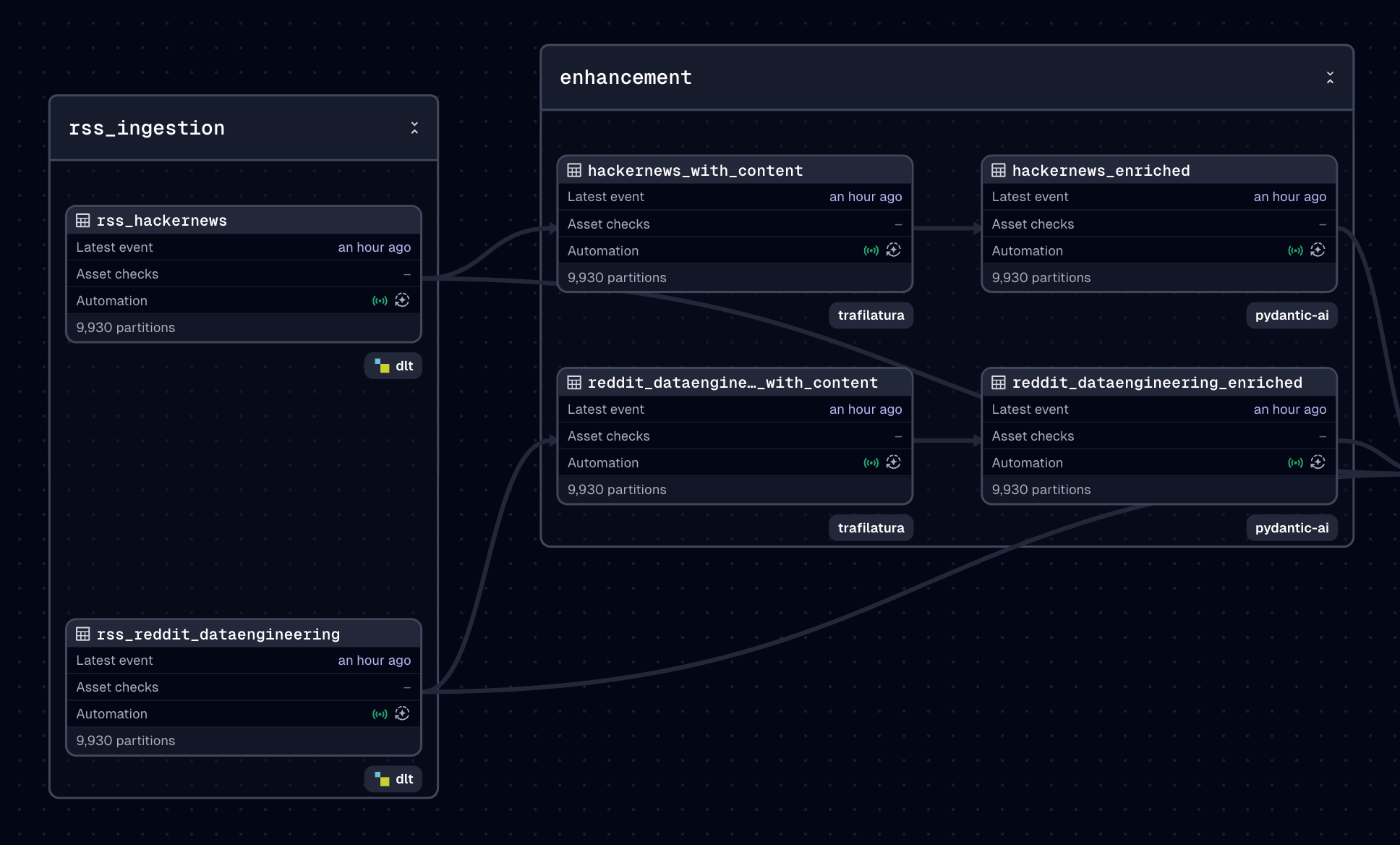
Once I have the raw articles, I need structure. Summaries, classification, tags, and any metadata that helps make sense of the content.
I rely on GPT-5 for this part. It returns structured data following Pydantic schemas. I recently moved from LangChain to Pydantic AI because it integrates smoothly with typed outputs and avoids the extra complexity I don’t need.
The output of this layer is still text, but now it has shape and meaning.
Layer 4. Transformation - The Query Problem
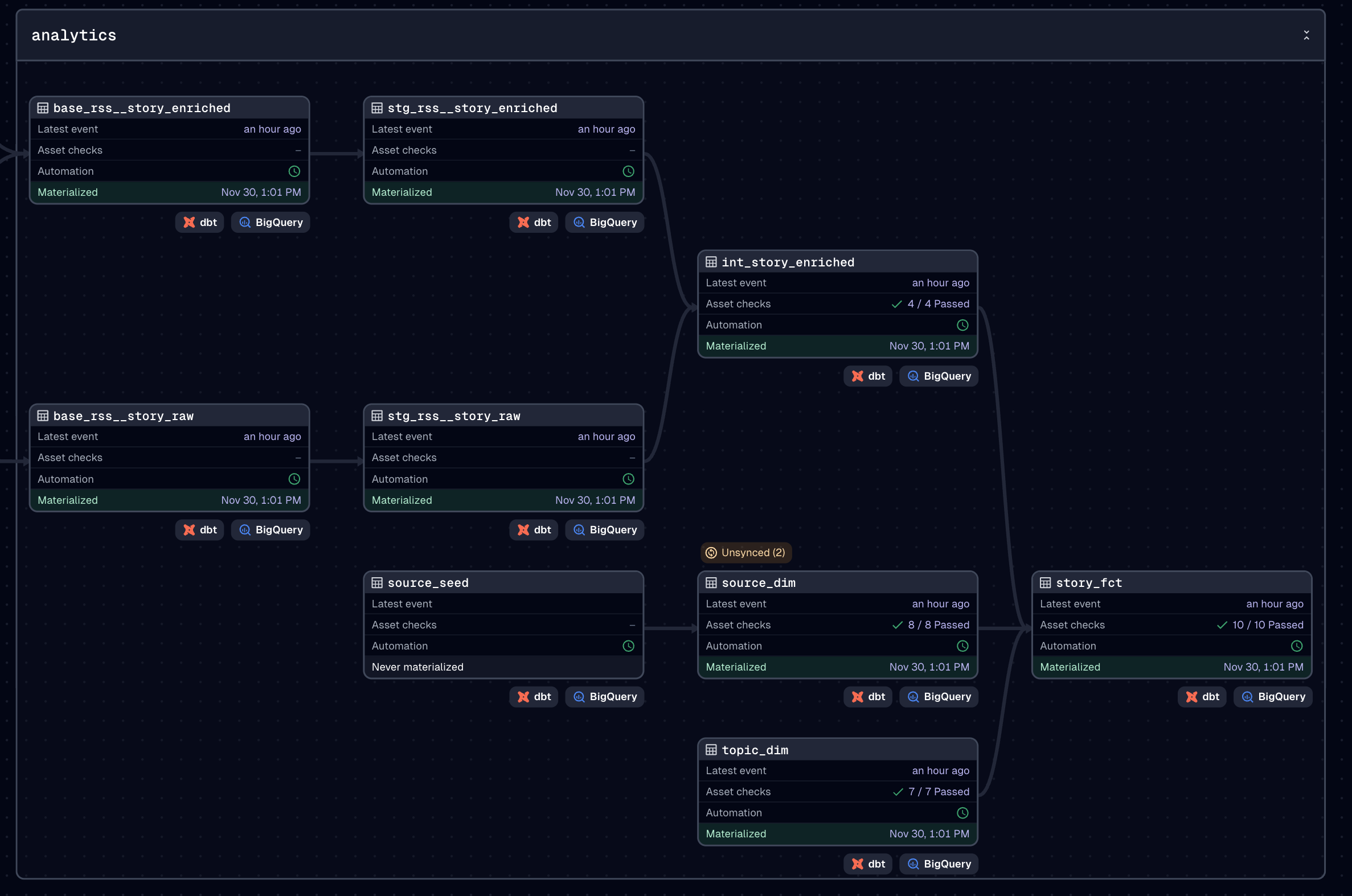
Structured text is helpful, but not enough on its own. I need models I can query over time, by topic, by source type, or across all stories.
This is where dbt comes in. I’ve been using it for close to a decade and it continues to be the backbone of any data platform I build. I use a medallion-style structure because it gives me predictability and a clean separation between raw data, integrated data, and query-ready models.
This layer produces warehouse tables that let me ask questions across the full set of signals.
Layer 5. Semantic Layer - The API Problem
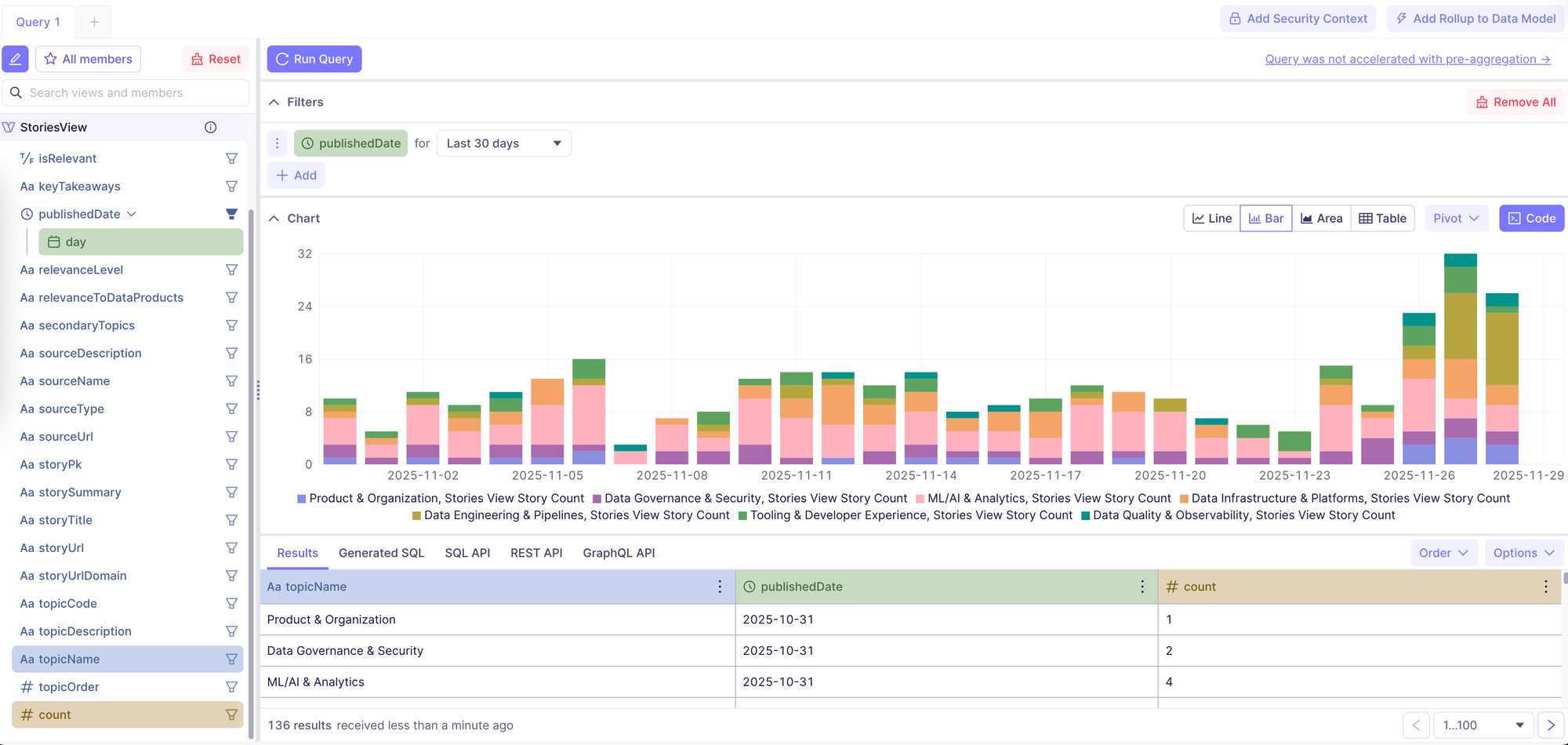
SQL is a great tool, but it creates friction when you want an LLM to work with your data. You need consistent business logic and definitions that don’t rely on someone writing queries manually.
The semantic layer solves this. Cube exposes a well-defined API with measures, dimensions, relationships, and business logic. It becomes the stable contract between the warehouse and everything downstream.
This is what ensures that both humans and LLMs interact with the data the same way.
Layer 6. Integration - Bridging Free-Text and Structured Queries
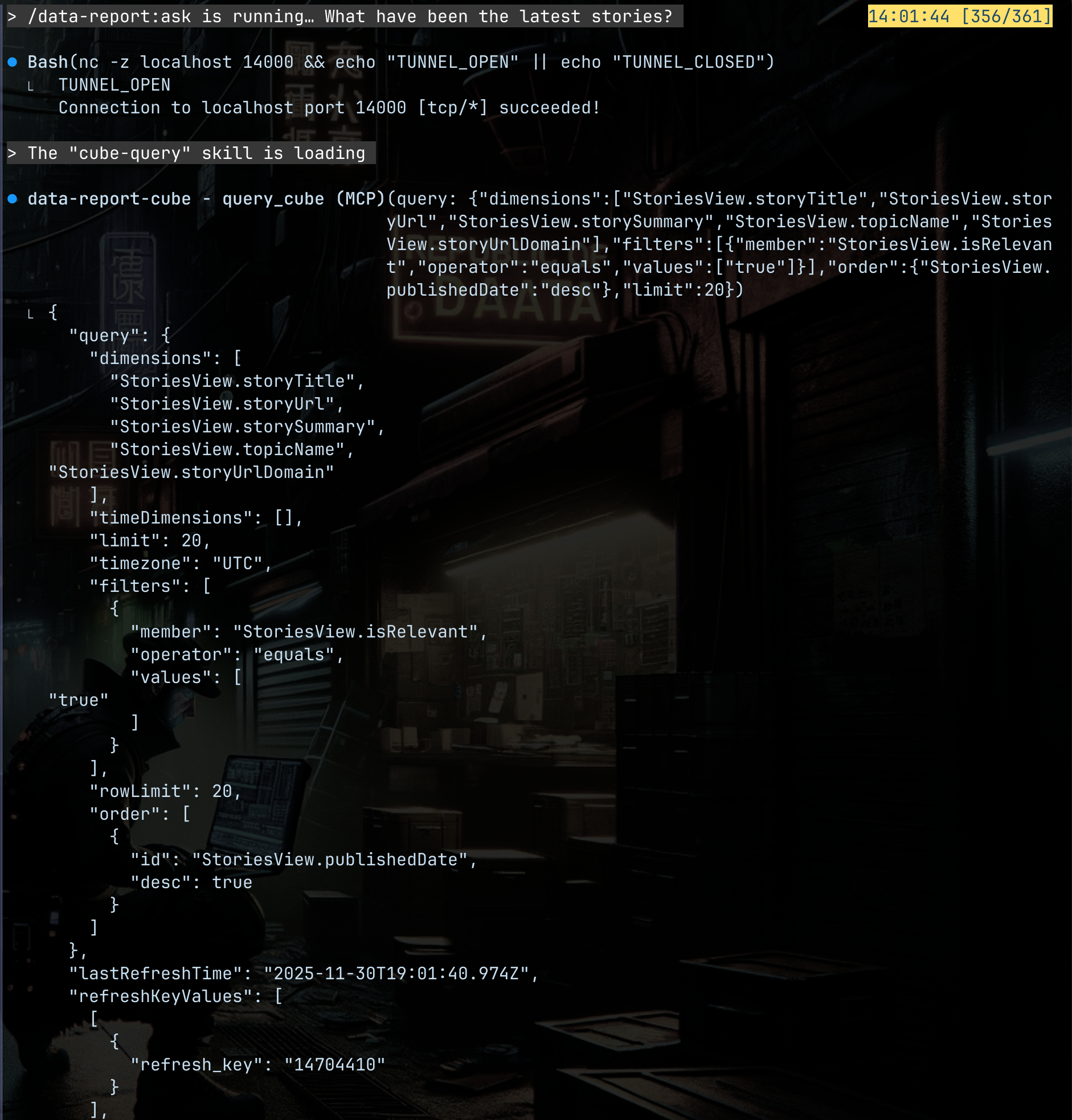
At this point, the system has a reliable API, but the LLM still needs a way to translate natural language questions into proper queries.
A small MCP server handles that translation. It takes the question, generates the structured Cube API request, and returns the shaped data for the LLM to work with. This removes guesswork and keeps the interface clean.
This is the layer that makes the system feel conversational.
Layer 7. Interface - The Access Problem
Intelligence only helps if you can access it without switching contexts.
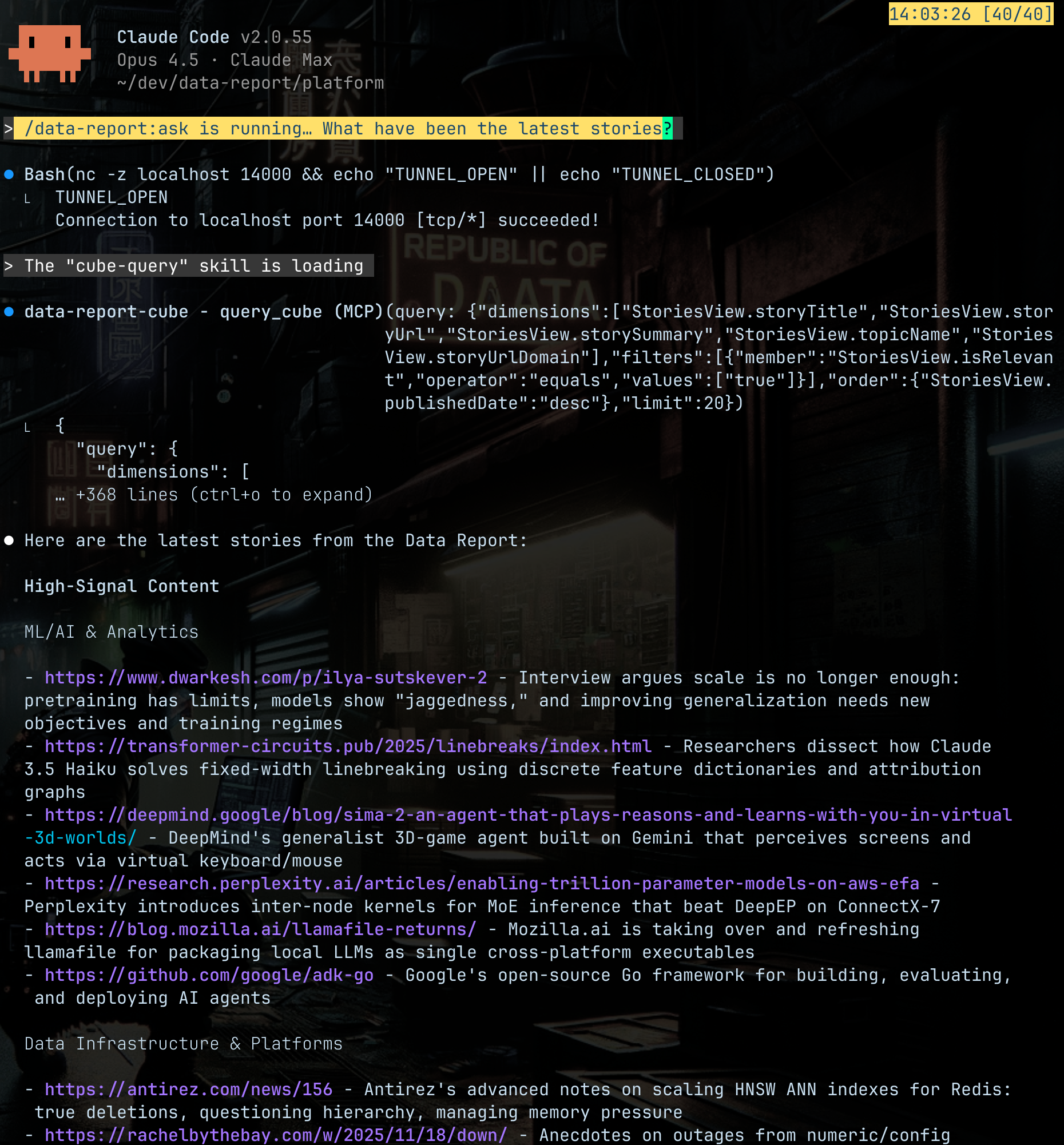
So I packaged the whole stack into a Claude Code plugin. From my terminal, I can run one command and start asking questions. The plugin connects through SSH, pulls all the semantic context, and handles the details behind the scenes.
There are no dashboards or tabs to manage. Just a direct way to interrogate the system.
Orchestration and Hosting
The platform runs on Dagster. It schedules the ingestion, runs the transformations, stores metadata, and handles failures in a very visible way. It’s become the backbone that keeps everything flowing.
Everything lives on one VPS that hosts Dagster, Cube, and the MCP server. Nothing is publicly exposed; access happens through an SSH tunnel from my local Claude Code client.
It’s inexpensive, lightweight, and has been completely stable.
Why This Matters
This setup isn’t only useful for newsletters or tech news. It’s a general pattern you can apply to any domain where you need continuous intelligence.
Swap the sources and keep the structure. The system still works.
My goal is to generalize the ingestion and semantic layers so I can reuse this architecture for other projects, like climate narratives or education market trends.
It’s a practical way to package expertise into a product that functions reliably without a large team.
And it runs on a single, affordable server.
That’s the part that keeps me excited about it.